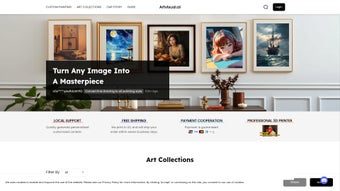

Download Artvisual AI – AI Design Tool, Free Secure Web App
Overview of Artvisual AI
Artvisual AI is a full‑version web application that belongs to the rapidly expanding AI Design category. Launched on Softonic on May 31 2025, the cloud‑based tool leverages state‑of‑the‑art artificial intelligence to help designers, marketers, and content creators generate visual assets in a matter of seconds. Whether you need a striking social‑media banner, a sophisticated brand logo, or a custom illustration for a presentation, Artvisual AI promises to deliver high‑quality results without the steep learning curve of traditional design software. The platform is built on a modern micro‑service architecture that offloads all heavy processing to remote servers, meaning users benefit from rapid rendering speeds and continuous model updates without the need for manual installations or license keys.
What truly differentiates Artvisual AI from other AI‑powered graphics generators is its commitment to accessibility and cross‑browser compatibility. The service runs entirely in the browser, so you can start designing on Windows, macOS, Linux, iOS, Android, or any device that supports modern browsers such as Chrome, Firefox, Safari, Edge, or Opera. Because the heavy lifting occurs on secure cloud servers, the client side remains lightweight, allowing older hardware to enjoy the same performance as high‑end workstations. Users also appreciate the seamless experience of generating images directly from text prompts, style references, or uploaded samples—all within a single, intuitive interface.
Security is another pillar of the service. All data transfers are encrypted via HTTPS, and the company states that user‑generated images are stored only for the duration of a session unless you choose to save them to your personal cloud vault. The free tier offers generous daily limits, while premium subscriptions unlock higher resolution outputs, priority rendering queues, and extended storage. In short, Artvisual AI combines the flexibility of a web app with the power of a dedicated AI engine, making it an attractive option for freelancers, small agencies, and larger enterprises looking to streamline visual content creation while keeping costs low and data safe.
Key Features & Benefits
- AI‑Driven Image Generation: Create unique graphics from textual prompts, style references, or existing images.
- Template Library: Access a curated collection of ready‑made templates for social media, ads, presentations, and more.
- Style Transfer & Customization: Apply artistic styles (watercolor, neon, retro) and fine‑tune colors, composition, and layout.
- Real‑Time Collaboration: Invite team members to edit projects simultaneously, with changes reflected instantly.
- Batch Export: Export multiple assets at once in PNG, JPEG, SVG, or PDF formats, supporting both web and print resolutions.
- Version History: Automatic saving of each iteration allows you to revert to previous versions with a single click.
- API Access (Premium): Integrate Artvisual AI’s generation engine into your own workflow or SaaS product.
- Secure Cloud Storage: Save projects to an encrypted personal vault; files are retained for up to 30 days in the free plan.
- Regular Model Updates: The AI engine is refreshed monthly, ensuring the latest artistic trends and improvements are available.
- Multi‑Language Support: Interface and prompt parsing support English, Spanish, French, German, and Mandarin.
These features translate into tangible benefits for users. AI‑driven generation dramatically reduces the time required to produce custom visuals—what once took hours in Photoshop can now be achieved in minutes. The template library provides a solid starting point for non‑designers, while style transfer tools give seasoned creators the freedom to experiment without starting from scratch. Real‑time collaboration eliminates the back‑and‑forth of email attachments, and batch export streamlines hand‑off to marketing platforms. Together, these capabilities position Artvisual AI as a comprehensive design companion that balances creativity, efficiency, and security.
For teams that require automation, the premium API opens the door to sophisticated workflows. Imagine a content calendar that automatically generates a fresh Instagram post each day based on your brand voice—Artvisual AI can power that process. Even if you never write code, the presence of an API signals that the service is built with scalability in mind, making it future‑proof for growing organizations.
Installation, Usage & Compatibility
Getting Started – No Download Required
Because Artvisual AI is a web‑based solution, there is no traditional installation process. To begin, navigate to the official website (https://artvisual.ai) using any modern browser. You will be prompted to create a free account or sign in with Google, Apple, or Microsoft credentials.
After confirming your email, you are taken directly to the dashboard where you can start a new project or explore the template gallery. An onboarding wizard walks you through the core functionalities: entering a text prompt, selecting a style, and choosing output dimensions. Short video tutorials are embedded for users who prefer a guided experience, and the built‑in adjustment panel offers controls for brightness, contrast, saturation, and cropping.
System Requirements & Browser Compatibility
Artvisual AI runs on any operating system that can launch a supported web browser, including:
- Windows 10/11 (Chrome, Edge, Firefox, Opera)
- macOS 12+ (Safari, Chrome, Firefox)
- Linux distributions with recent versions of Chrome or Firefox
- iOS 14+ (Safari, Chrome) and Android 9+ (Chrome, Firefox)
- Legacy support for Internet Explorer 11 (limited features; upgrade recommended)
The application relies on WebGL and WebAssembly for real‑time rendering, so a graphics‑capable device and a stable internet connection (minimum 5 Mbps) are recommended. Mobile users will notice a slightly trimmed UI, but all core features—including prompt entry, style selection, and export—remain fully functional on touch devices.
Step‑by‑Step Usage Guide
- Log In: Access your dashboard after signing in.
- Create a New Project: Click “New Design” and choose a canvas size (e.g., 1080 × 1080 px for Instagram).
- Enter a Prompt: Describe the visual you need, such as “modern minimalist logo with teal accents.”
- Select a Style: Pick from the style library or upload a reference image for style transfer.
- Generate: Press “Render” and wait a few seconds while the AI creates the image.
- Refine: Use the adjustment tools to tweak colors, add text, or reposition elements.
- Export: Choose PNG, JPEG, SVG, or PDF and download or save to your cloud vault.
Advanced users can explore the “API” tab in account settings to obtain an API key, read the documentation, and start integrating Artvisual AI into custom workflows. For teams, the “Collaboration” panel allows you to invite members, assign roles (editor, viewer), and track changes via a built‑in activity log.
Pros, Cons, Frequently Asked Questions & Final Verdict
Pros & Cons
- Pros:
- Instant AI‑generated visuals reduce design time dramatically.
- Fully web‑based – no heavy software downloads or installations.
- Broad browser compatibility, including mobile platforms.
- Rich template library and style‑transfer capabilities.
- Secure HTTPS connection and optional encrypted cloud storage.
- Collaboration features streamline team workflows.
- Regular AI model updates keep the tool current with design trends.
- Cons:
- Free tier imposes daily generation limits; power users may need a subscription.
- Performance depends on internet speed; slower connections may experience lag.
- Legacy IE support is limited to basic features.
- Advanced vector editing still requires a dedicated graphics editor.
Frequently Asked Questions
Is Artvisual AI truly free to use?
Yes, there is a free tier that allows up to 20 image generations per day. Premium plans remove limits, provide higher‑resolution exports, and unlock API access.
Can I export vector files (SVG) from the free version?
SVG export is available on both free and paid plans, but premium users receive unlimited high‑resolution SVGs and priority rendering.
How does Artvisual AI handle my data and privacy?
All communications are encrypted via HTTPS. Images are stored temporarily on secure servers and are deleted after 30 days unless you save them to your personal vault. The privacy policy details data handling practices.
Is there a desktop app for offline use?
Currently, Artvisual AI is only available as a web application. Offline functionality is planned for future releases, but the cloud model ensures you always have the latest AI updates.
Can I integrate Artvisual AI with other tools like Canva or Adobe Creative Cloud?
Through the API (available to premium users) you can programmatically fetch generated assets and import them into any workflow, including Canva, Adobe Suite, or custom CMS platforms.
Conclusion & Call‑to‑Action
Artvisual AI delivers on its promise of fast, AI‑powered design without demanding a steep learning curve or powerful hardware. Its web‑first architecture ensures you can work from virtually any device, while the robust feature set—from style transfer to real‑time collaboration—makes it suitable for freelancers, small teams, and larger enterprises alike. Although the free tier imposes reasonable limits, the value gained from rapid prototyping and automated visual creation often outweighs the need for a paid subscription, especially for occasional users.
If you’re ready to accelerate your visual content pipeline, reduce reliance on heavyweight desktop software, and experiment with cutting‑edge AI art generation, download Artvisual AI today by visiting the official site and signing up for a free account. Experience the future of design—secure, fast, and powered by intelligent algorithms.
Pros: AI speed, web accessibility, collaboration, regular updates.
Cons: Daily limits on free tier, internet‑dependent performance.



.png)



